Stop 2 of 3 on the round trip
Deliver
A library of ten thousand highlights is a graveyard. The point of Relego is that a small, well-chosen handful comes back to you on a rhythm you can live with.
How the choice is made
Section titled “How the choice is made”On each scheduled run the server picks a subset of your highlights using spaced repetition: passages you have seen recently are unlikely to return, and passages you have not seen in a long time move to the front. Your own weights tilt that ordering.
Schedule
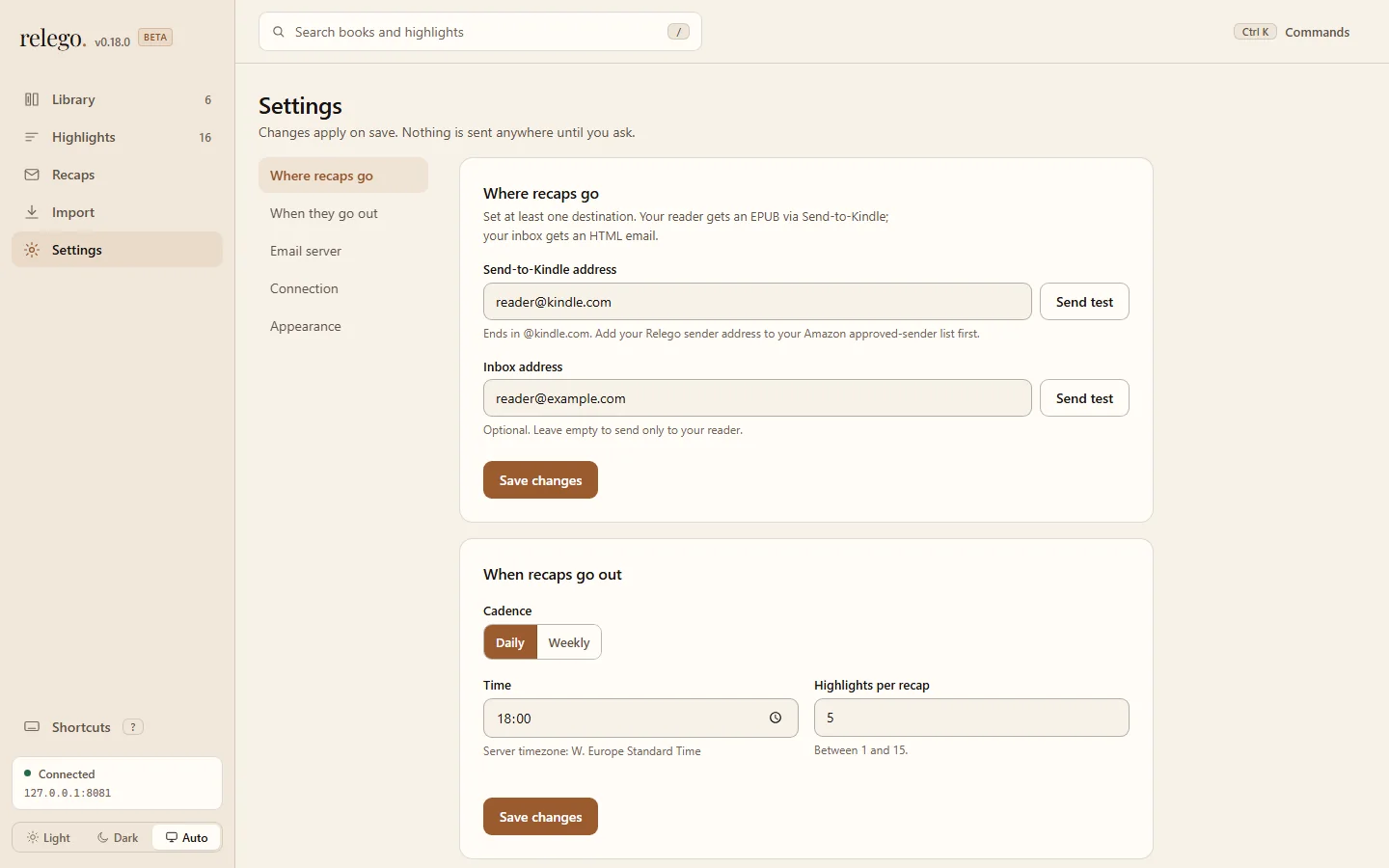
Section titled “Schedule”Recaps go out daily at 18:00 in the server’s local time zone unless you say otherwise. Open Settings in the web interface, then use When they go out to choose daily or weekly delivery and a time.
Weekly recaps go out on the same weekday you set them.
How many highlights
Section titled “How many highlights”Five per recap is the default. Anything from 1 to 15 works. Change it under When they go out in Settings.
A larger number is not a better recap. Five is a comfortable e-ink page; fifteen starts to feel like homework.
Weights
Section titled “Weights”Give a highlight a weight from 1 to 5 to change how often it comes back. Higher means more often. Select the highlight in the web interface to adjust its weight.
Use it sparingly. Weighting everything is the same as weighting nothing.
Exclusions
Section titled “Exclusions”Some highlights you never want to see again (a chapter heading the parser picked up, a book you abandoned, or an author you have finished with). Exclude them from the highlight, book, or author view in the web interface.
Exclusions are reversible and never delete anything. The highlight stays in your library; it just stops being eligible.
Fixing book titles
Section titled “Fixing book titles”Kindle and Kobo metadata is often untidy (subtitles, edition numbers, publisher noise). Rename a book in the web interface and every recap uses the new title.
Choose a relay
Section titled “Choose a relay”Relego sends recaps over SMTP. It does not run a mail server.
Any of these have a free tier that comfortably covers one recap a day:
Your own relay works too. Set the host, port, user, and password as environment variables on the server.
To test delivery locally before choosing a relay, use the smtp4dev demo profile.
Kindle: Send-to-Kindle
Section titled “Kindle: Send-to-Kindle”Amazon gives every Kindle an email address. Documents mailed to it appear on the device. In Settings, add it under Where recaps go.
Kindle recaps arrive as an EPUB, so they open as a real document with a table of contents rather than as an email.
Inbox: the HTML channel
Section titled “Inbox: the HTML channel”You can also have the recap delivered to any ordinary mailbox, formatted as HTML. Add it under Where recaps go in Settings.
Kobo users: use this channel. Kobo has no Send-to-Kindle-style address, so the inbox channel is Kobo’s normal delivery route. Open the recap in your mail app, or send it on to the reader with whatever method you already use.
For command-line automation, see CLI.
Everything is wired. Read your first recap →