Stop 3 of 3 on the round trip
Revisit
The last stage is the only one that matters: the passage arrives, and you read it again.
Send your first recap now
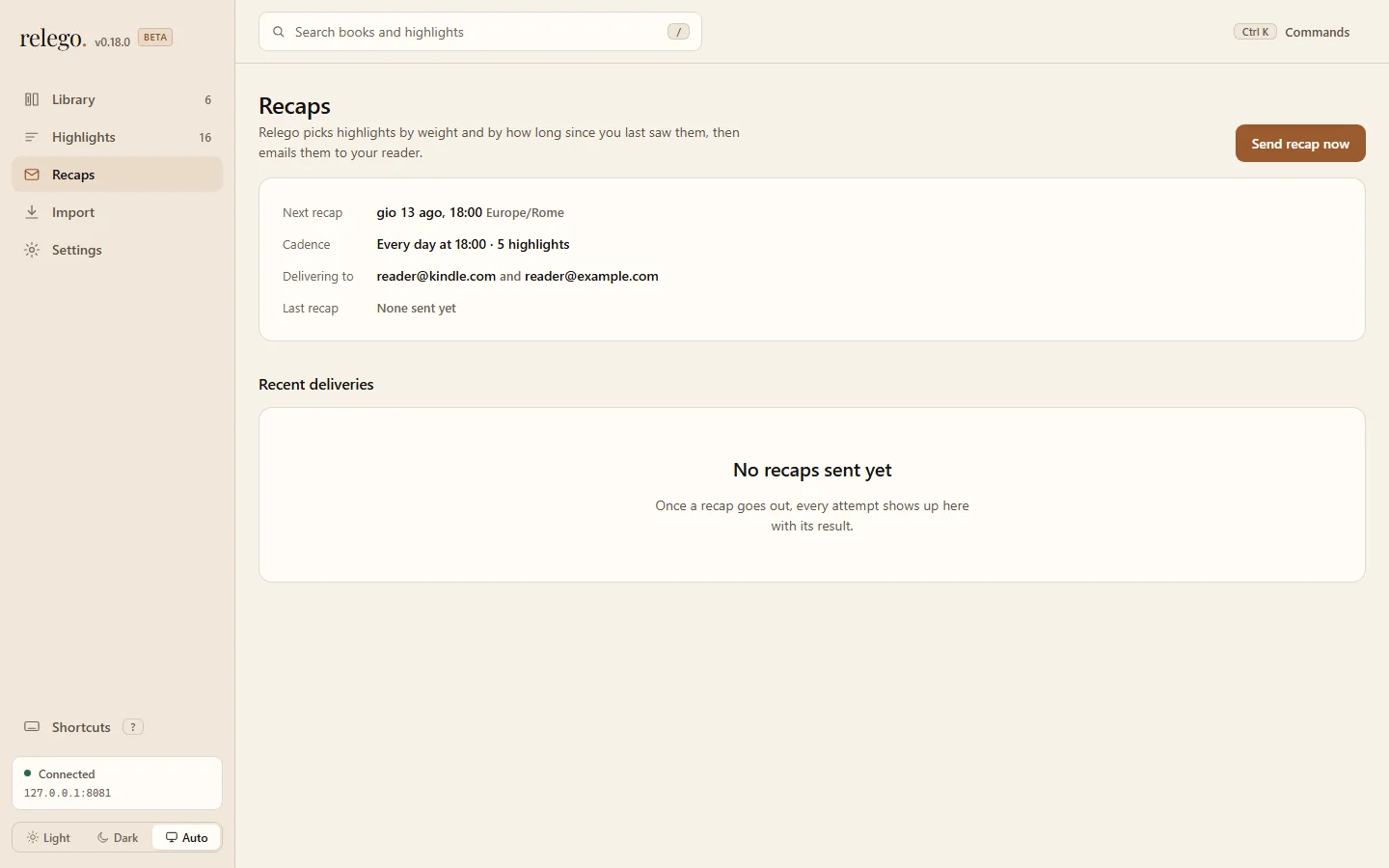
Section titled “Send your first recap now”Open Recaps in the web interface and select Send recap now. The server selects, renders, and sends immediately. Everything else stays unchanged: this does not shift the next scheduled recap.
The button is unavailable until you add a Kindle or inbox address in Settings.
What arrives
Section titled “What arrives”Every recap has one entry per highlight: the passage, the book, and the author. On a Kindle, it arrives as an EPUB in your library, so you can page through it, highlight inside it, and leave it half-read. On Kobo, the same recap arrives as HTML in the inbox you chose. Read it there, or send it on to the reader using your usual method.
If nothing arrives
Section titled “If nothing arrives”| What you see | What to do |
|---|---|
No eligible highlights available |
The library is empty, or everything is excluded. Return to Import highlights, then review exclusions in the web interface |
| The recap cannot be sent | Confirm the server is up with docker compose ps, then check the delivery address in Settings |
| The send succeeds, no mail on the Kindle | The sending address is not on your Amazon approved list, see Deliver |
| Nothing in smtp4dev | The demo profile is not running, or the server is not pointed at smtp4dev:2525 |
More cases in Troubleshooting.
Living with it
Section titled “Living with it”Once the first recap lands, Relego needs almost nothing from you. Plug the reader in every few weeks and upload its file again in Import. Everything else happens on schedule.
When a passage comes back that you are tired of, exclude it. When one comes back that stops you, weight it up. The library gets better the longer you use it.
The loop closes
Section titled “The loop closes”The passage you just re-read is back in the rotation, its clock reset. The next book you underline joins the same circuit at Import highlights.